
第十章:自建代码托管平台-GitLab
1. GitLab 简介
GitLab 是由 GitLabInc.开发,使用 MIT 许可证的基于网络的 Git 仓库管理工具,且具有 wiki 和 issue 跟踪功能。使用 Git 作为代码管理工具,并在此基础上搭建起来的 web 服务。
GitLab 由乌克兰程序员 DmitriyZaporozhets 和 ValerySizov 开发,它使用 Ruby 语言写 成。后来,一些部分用 Go 语言重写。截止 2018 年 5 月,该公司约有 290 名团队成员,以 及 2000 多名开源贡献者。
GitLab 被 IBM,Sony,JülichResearchCenter,NASA,Alibaba, Invincea,O’ReillyMedia,Leibniz-Rechenzentrum(LRZ),CERN,SpaceX 等组织使用。
2. GitLab官网地址
官网地址:https://about.gitlab.com/
安装说明:https://about.gitlab.com/installation/
3. GitLab 安装
3.1 服务器准备
准备一个系统为 CentOS7 以上版本的服务器,要求内存 4G,磁盘 50G。
关闭防火墙,并且配置好主机名和 IP,保证服务器可以上网。
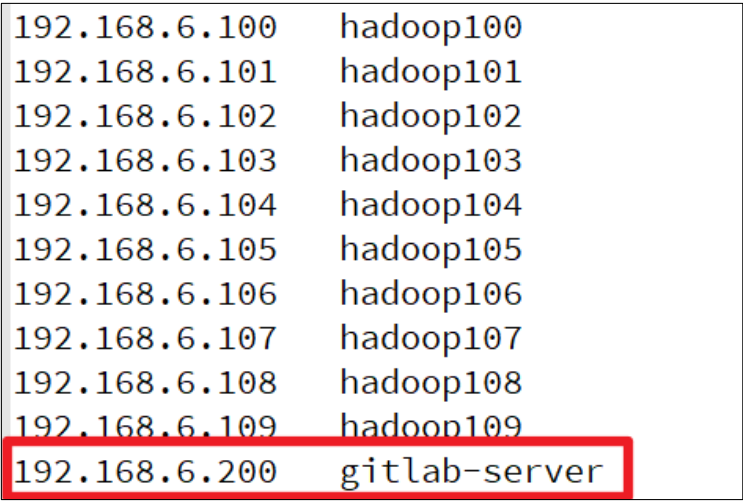
此教程使用虚拟机:主机名:gitlab-server IP 地址:192.168.6.200
3.2 安装包准备
Yum 在线安装 gitlab- ce 时,需要下载几百 M 的安装文件,非常耗时,所以最好提前把 所需 RPM 包下载到本地,然后使用离线 rpm 的方式安装。
下载地址:
注:资料里提供了此 rpm 包,直接将此包上传到服务器 /opt/module 目录下即可。
3.3 编写安装脚本
安装 gitlab 步骤比较繁琐,因此我们可以参考官网编写 gitlab 的安装脚本
给脚本增加执行权限
然后执行该脚本,开始安装 gitlab-ce ,注意一定要保证服务器可以上网
3.4 初始化 GitLab 服务
执行以下命令初始化 GitLab 服务,过程大概需要几分钟,耐心等待...
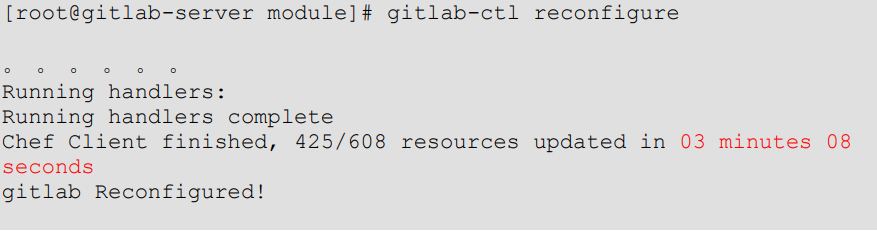
3.5 启动GitLab服务
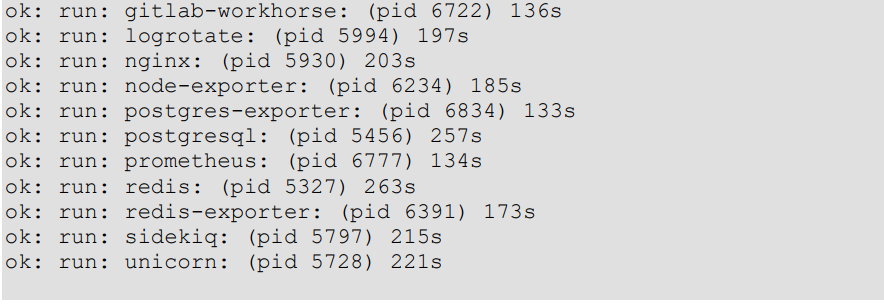
执行以下命令启动 Gitlab 服务,如需停止,执行 gitlab-ctl stop

3.6 使用浏览器访问 GitLab
使用 主机名 或者 IP 地址即可访问GitLab 服务。需要提前配置一下 windows的 hosts 文件。
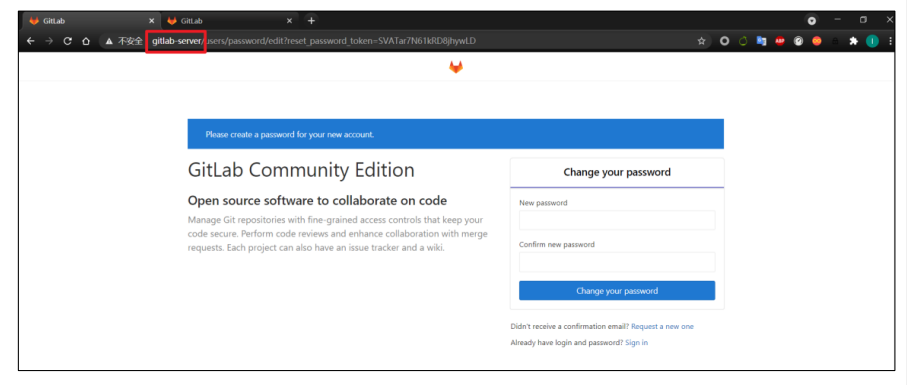
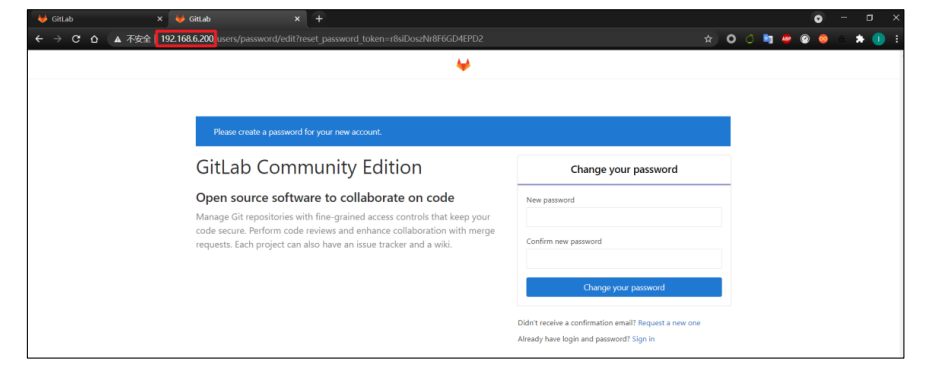
首次登陆之前,需要修改下 GitLab 提供的 root 账户的密码,要求 8 位以上,包含大小 写子母和特殊符号。因此我们修改密码为 Atguigu.123456 然后使用修改后的密码登录 GitLab。
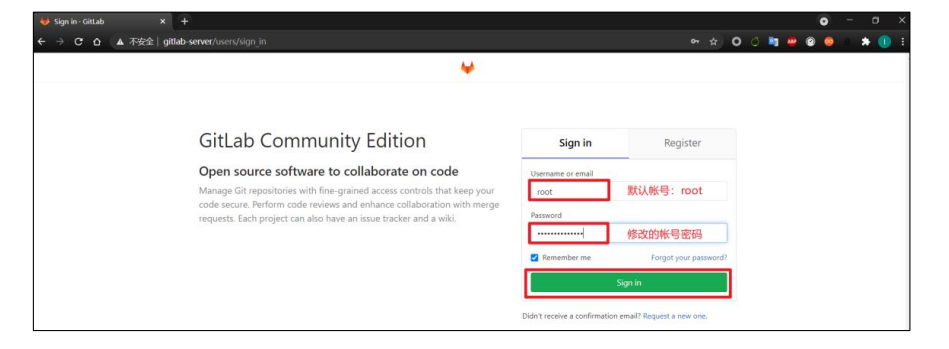
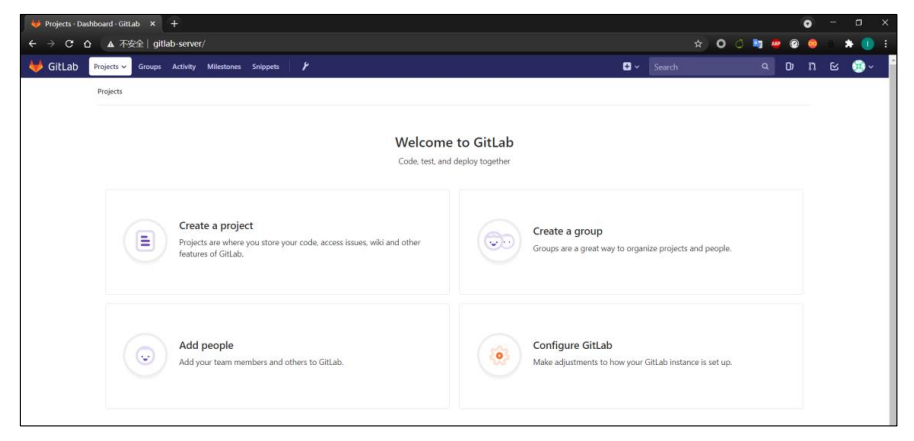
Gtilab 登录成功
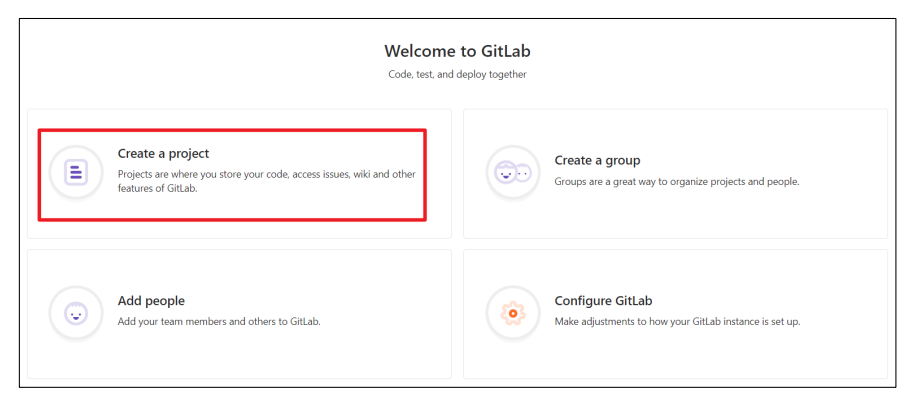
3.7 GitLab 创建远程库
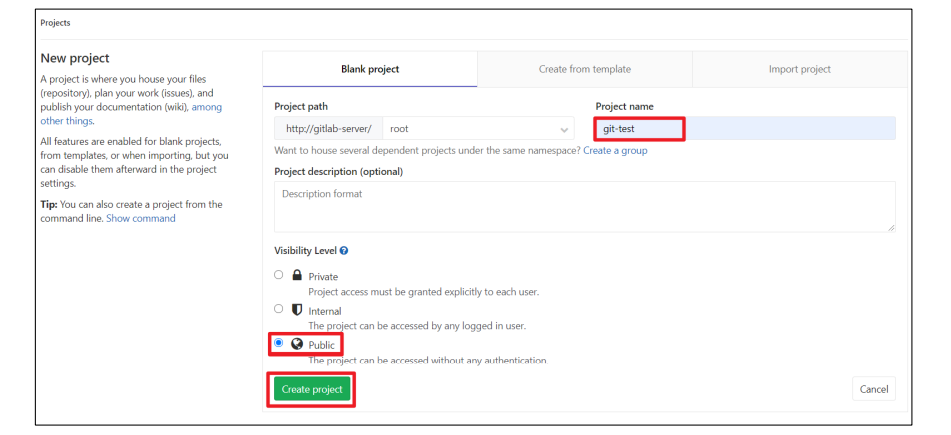
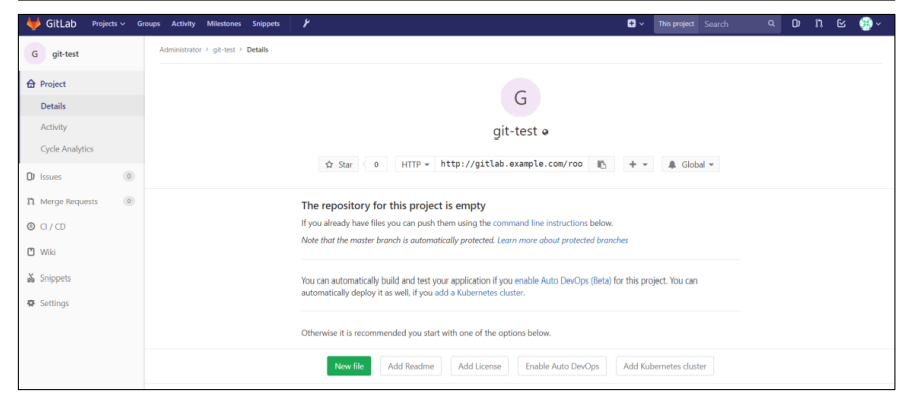
3.8 IDEA集成 GitLab
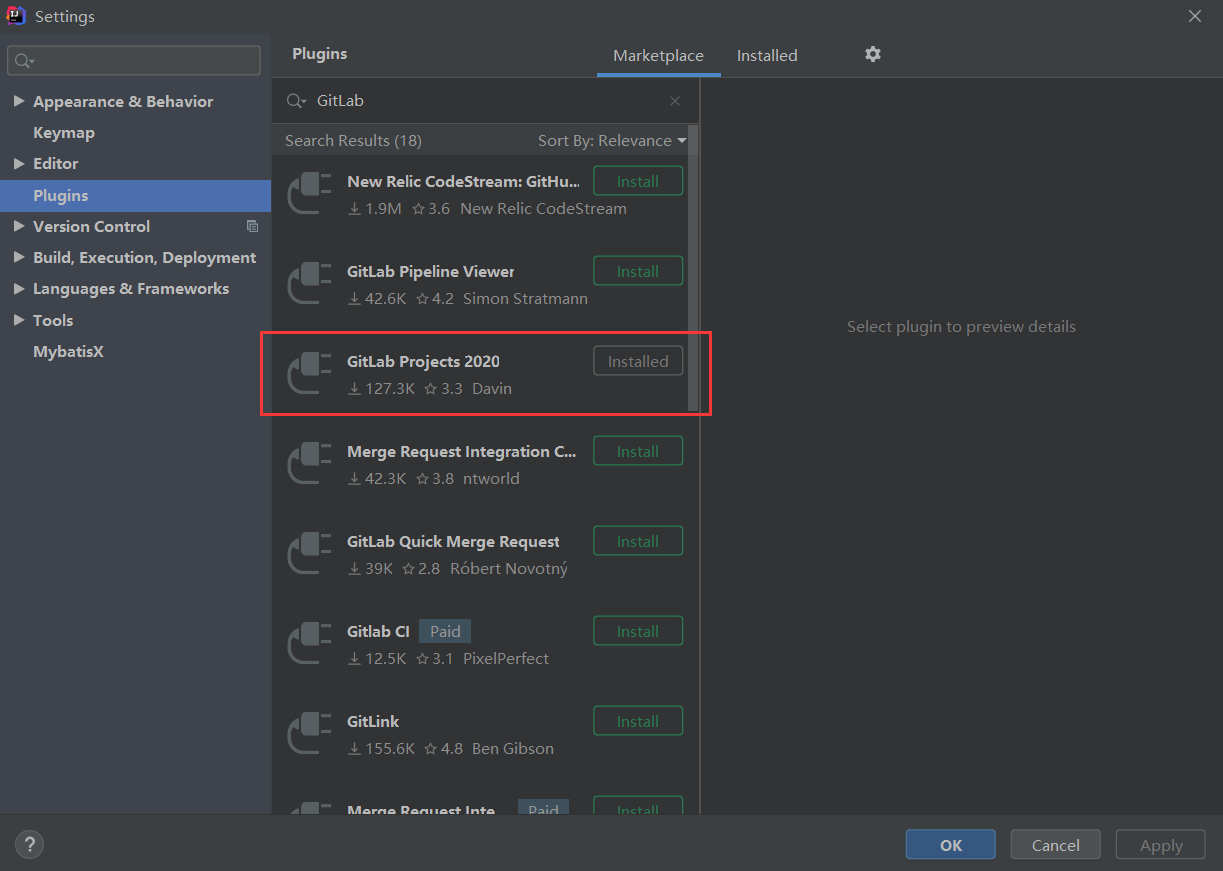
3.8.1 安装 GitLab 插件
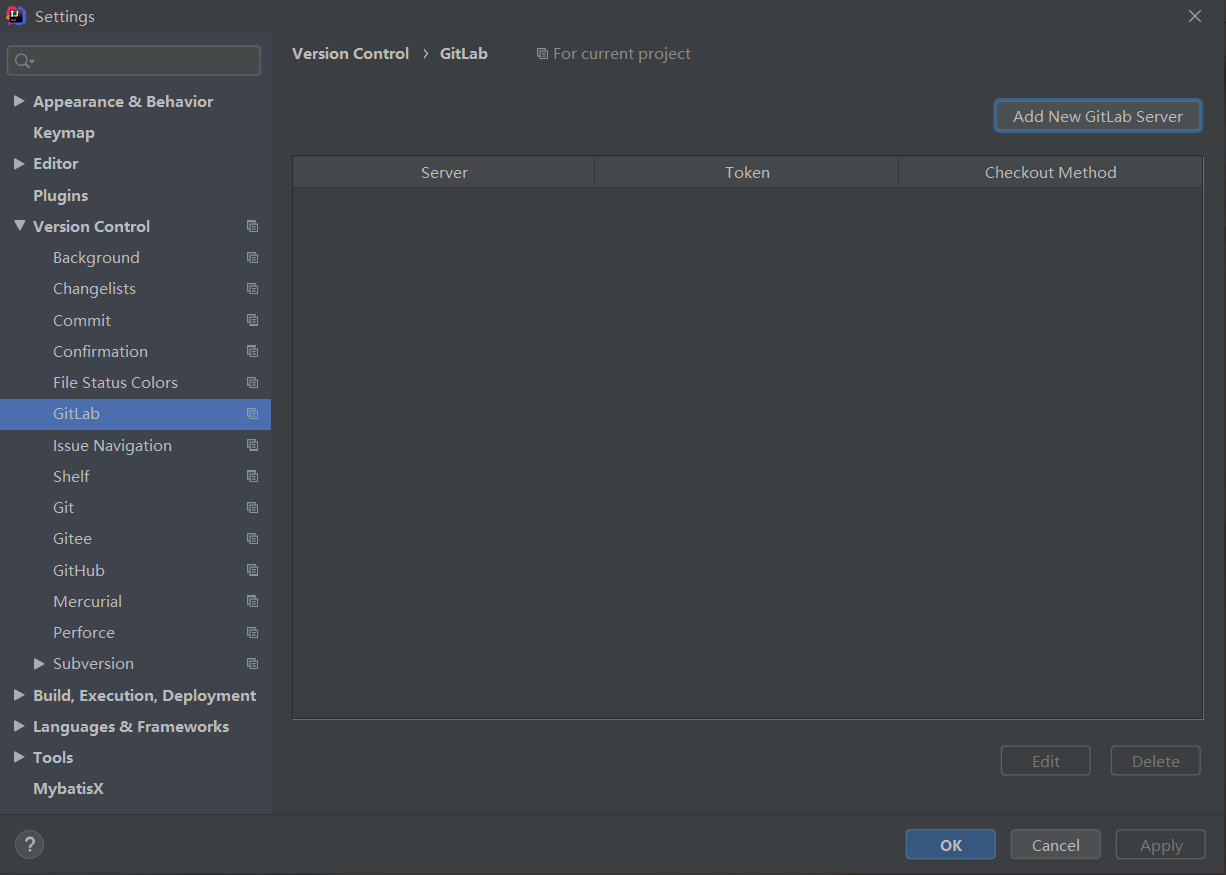
3.8.2 设置GitLab 插件
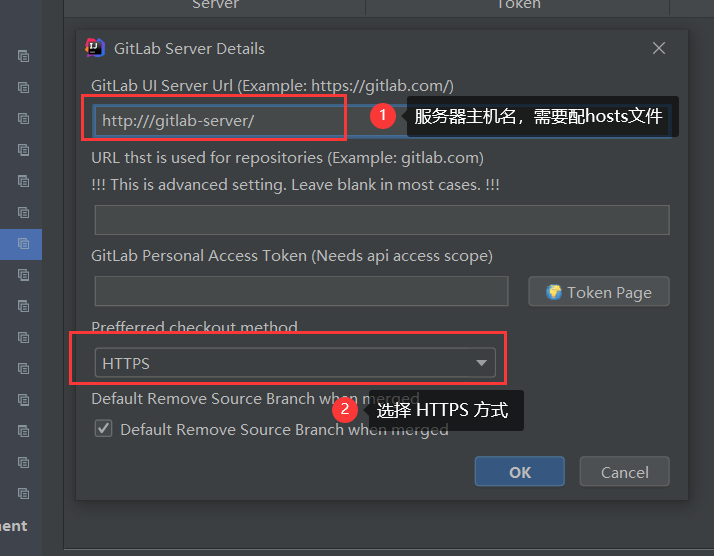
3.8.3 push 本地代码到 GitLab 远程库
注意:
gitlab 网页上复制过来的连接是:http://gitlab.example.com/root/git-test.git.
需要手动修改为:http://gitlab-server/root/git-test.git
选择 gitlab 远程连接,进行 push.
首次连接 gitlab,需要登录帐号和密码,用 root 帐号和我们修改的密码登录即可。
只要 GitLab 的远程库连接定义好以后,对 GitLab 远程库进行 pull 和 clone 的操作和 Github 和码云一致,此处不再赘述